
World speakers
World speakers are speakers placed in the game world, like the tone-out speakers in a fire station’s apparatus bay or the PA horns on a pole outside. Dispatchers sound tones on them from the console, and can hold a button to talk through them live. Players nearby hear it coming from the speaker, louder the closer they stand, and muffled through walls. Scripts and your CAD can sound tones on them too.
Players hear world speakers whether or not they carry a radio, and whether or not radio speakers are turned on.
Placing speakers
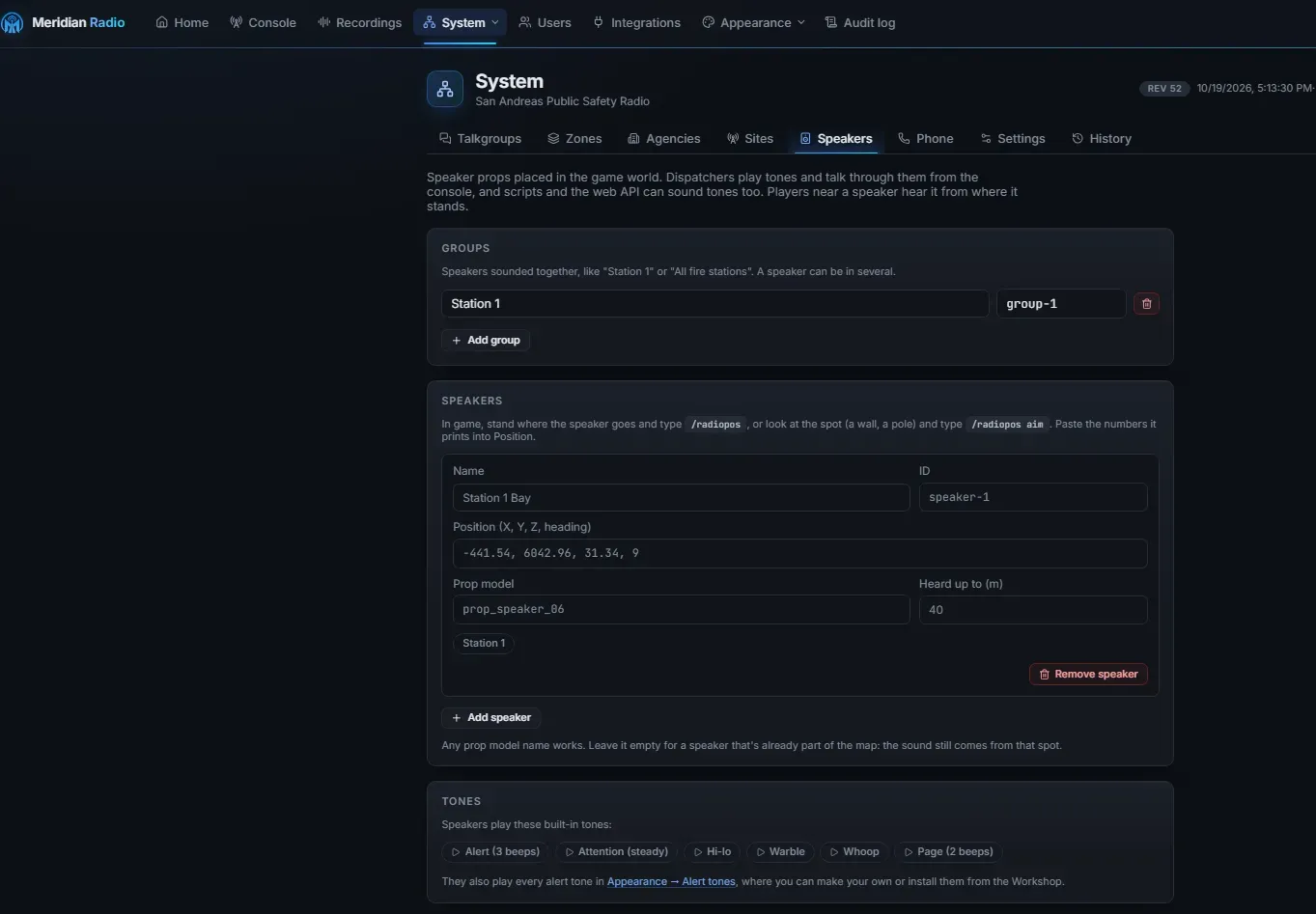
Section titled “Placing speakers”As an admin, open System → Speakers.
-
Under Groups, add the groups you’ll sound together, for example “Station 1”, “Station 2” and “All fire stations”. A speaker can be in any number of groups.
-
Under Speakers, click Add speaker and give it a name, such as “Station 1 apparatus bay”.
-
Find its position in game:
- Stand where the speaker goes, facing the way it should face, and type
/radiopos. - Or look at the spot (a wall, a ceiling, a pole) and type
/radiopos aim. The speaker goes where you’re looking and faces you.
Both print a line like
Paste into Meridian: 425.1, -979.4, 30.7, 90. Paste the numbers into Position. - Stand where the speaker goes, facing the way it should face, and type
-
Pick a Prop model (see below), how far away it can be heard (Heard up to, 5 to 150 metres), and its groups.
-
Click Save changes in the bar at the bottom of the page.
Players in game see and hear the changes straight away. You can place up to 100 speakers and 50 groups.
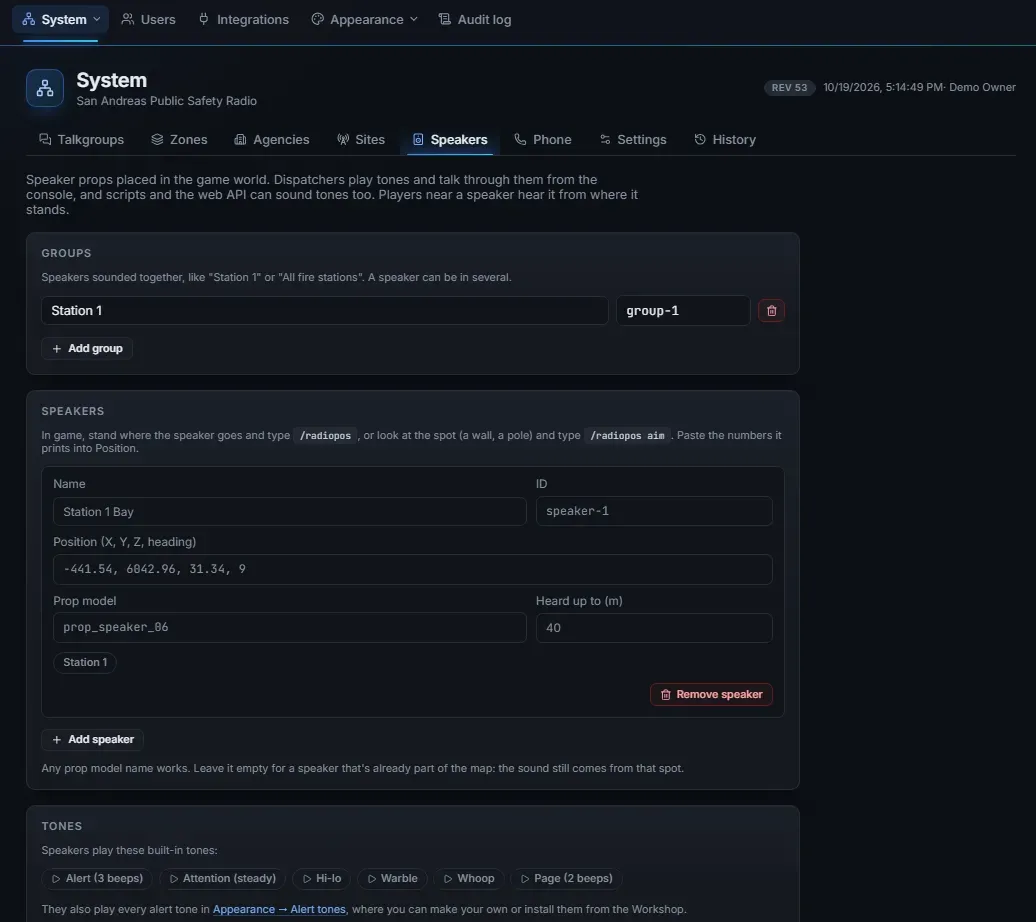
Each speaker and group has an ID. Scripts and the web API use IDs, so change them only if nothing uses them yet.
Prop models
Section titled “Prop models”Each speaker spawns the prop model you choose, frozen in place at the position and heading you gave. The list
suggests some of GTA’s built-in speaker props (prop_speaker_06 is the default), but any prop name works, including
props from your own streamed resources.
Leave the model empty for a speaker that’s already part of the map, or that you’ve placed with another resource: nothing spawns, but the sound still comes from that spot.
Props only exist on each player’s own PC, within about 150 metres of them, so they cost nothing on the server.
Speakers have six built-in tones: Alert (three beeps), Attention (a steady tone), Hi-lo, Warble, Whoop and Page (two beeps). Click one on the Speakers page to hear it.
They also play every one of your community’s alert tones, whichever agencies those are for. Make your own, one per station or per call type for example, under Appearance → Alert tones, or install them from the Workshop.
Using them from the console
Section titled “Using them from the console”When your system has speakers, the dispatch console shows a Speakers panel.
- Pick the groups or single speakers to use. You can mix both.
- Click a tone to sound it on all of them. You hear it in the console too.
- Or hold Hold to talk on speakers and speak: your voice comes out of the chosen speakers. Let go to stop.
While you talk on the speakers you aren’t transmitting on a talkgroup, and pressing the talkgroup PTT ends the PA. The PA stops after the system’s Max call length (System → Settings), like any other transmission. Tones and PA use are recorded in the audit log.
Scripts and CAD
Section titled “Scripts and CAD”Server scripts can sound tones with the toneSpeakers export:
-- Tone out Station 1 and the bay speaker at Station 2 with the hi-lo tone.exports.meridian:toneSpeakers("hilo", "st2_bay", "st1", "CAD: " .. dispatcherName)Your own alert tones are identified by an ID that getSpeakers() and getAlertTones() list with each tone’s name.
The web API can do the same with POST /api/v1/speakers/tone. See the
server API for details.