
Radio batteries
Batteries are optional and off by default. Turn them on and handheld radios drain while switched on, warn players when they run low, and switch off when empty until they’re charged. Vehicle radios run off the car and never drain.
Turning them on
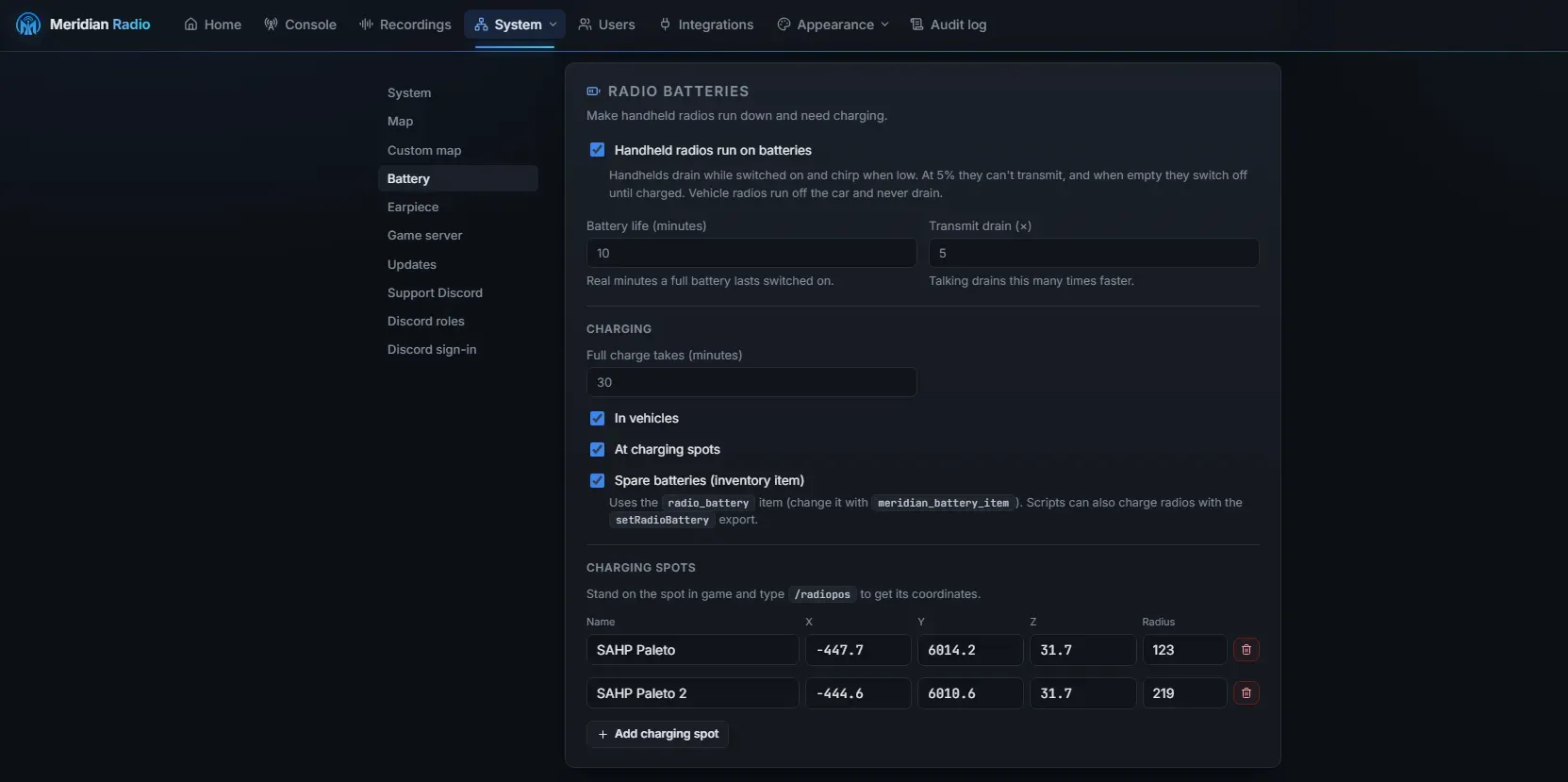
Section titled “Turning them on”As an admin, open System → Settings → Radio batteries and tick Handheld radios run on batteries. Then set:
- Battery life: how many real minutes a full battery lasts with the radio switched on. A radio that’s switched off doesn’t drain.
- Transmit drain: talking drains the battery this many times faster than listening.
- Full charge takes: how many minutes an empty battery takes to charge to full.
Radios pick up changes straight away. Each player’s charge is kept on their own PC, so it carries over between sessions and server restarts.
Charging
Section titled “Charging”Turn on any mix of these:
- In vehicles: the handheld charges while the player sits in any vehicle.
- At charging spots: the handheld charges while the player is within a spot’s radius, for example a charging rack
at the station. Add spots under Charging spots with a name, coordinates and a radius in metres. To find the
coordinates, stand on the spot in game and type
/radiopos. - Spare batteries: using a spare battery item puts a full battery in the radio straight away. See below.
At least one has to be on, otherwise a radio that runs out could never be used again.
What players notice
Section titled “What players notice”| Charge | What happens |
|---|---|
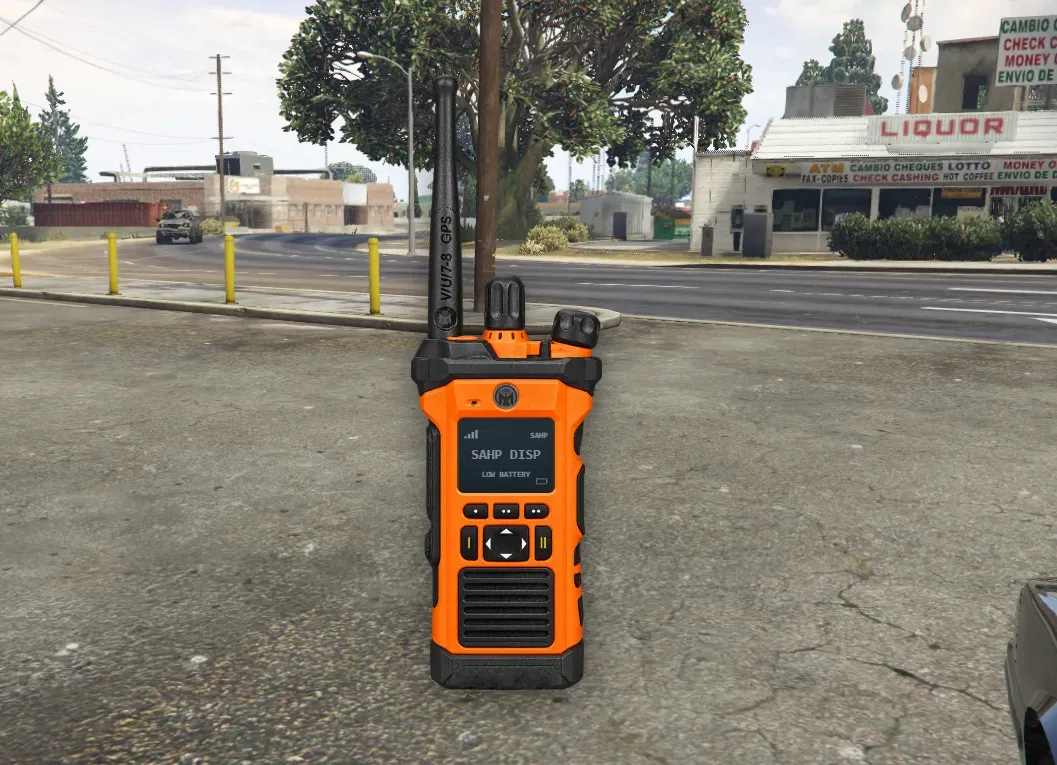
| 20% or less | A low battery chirp and LOW BATTERY on the screen, repeated every minute. The battery icon blinks. |
| 5% or less | The chirp repeats every 20 seconds, the screen dims, and the radio refuses to transmit. |
| 0% | The radio chirps twice, switches off, and won’t switch back on until charged. |
While charging, the screen shows CHARGING and the charge level, and a bolt appears by the battery icon. Players get a message when the battery is full. The chirp is part of the sound pack, so you can replace it under Appearance → Sounds.
Spare battery item
Section titled “Spare battery item”With Spare batteries on, the radio_battery item works as a spare (change the item name with
set meridian_battery_item "your_item" in server.cfg). Using it puts a full battery in the radio and takes one item
from the player’s inventory. If the radio is already full, the item isn’t used.
With ox_inventory, add the item to ox_inventory/data/items.lua (use your folder name instead of meridian if you
renamed the resource):
['radio_battery'] = { label = 'Radio battery', weight = 200, client = { export = 'meridian.useBattery' },},With QBCore or ESX and no ox_inventory, add the item to the framework’s item list; Meridian registers it as usable itself.
Scripts
Section titled “Scripts”Other resources can set a radio’s charge, for example a custom charger or a medic bag:
-- Server side: charge a player's radio to 100%.exports.meridian:setRadioBattery(source, 100)
-- Client side: read the battery, or set it.local battery = exports.meridian:getState().battery -- { percent, charging, low } or nil when batteries are offexports.meridian:setBattery(50)
See the player API and server API for details.